

 Hajra Naz
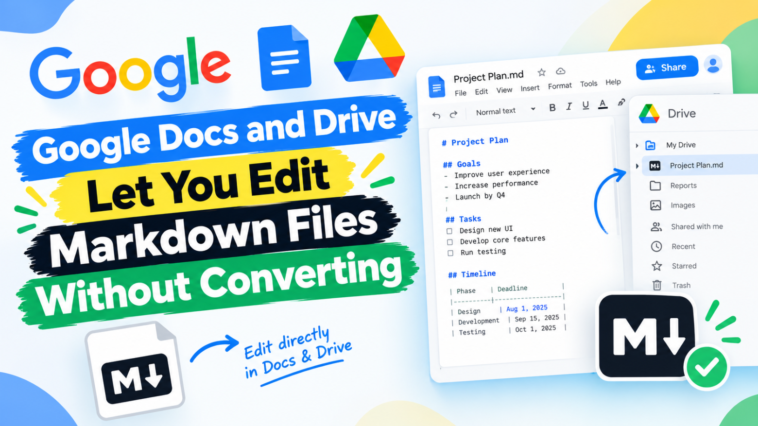
Google Docs and Google Drive now support Markdown (.md) files natively. Users can open, edit, and collaborate on these files directly now. There’s no need to convert them into Google Docs format first. Google announced this update on October 5 through its Workspace Updates blog.
Previously, the process worked quite differently. Users had to import and convert Markdown files into Docs format. That process often created real problems. It altered formatting. It stripped comments. It even fragmented files sometimes. Now, Docs handles both .md and .markdown files with full formatting intact. This includes tables, headers, bulleted lists, and clickable links.

Google Drive has also changed how it handles these files. It now renders markdown files as fully formatted documents directly in its preview. Users can view structured tables and clickable links right within Drive itself. Meanwhile, Docs supports two different editing approaches. That includes traditional WYSIWYG editing. It also includes raw Markdown syntax editing. As a result, users can choose whichever workflow fits their needs best.
Read More: Google Docs adds an AI-driven proofreading feature for better writing.
This update also preserves existing collaboration tools. Real-time collaboration and commenting features remain fully intact. Multiple users can edit the same .md file simultaneously. This works just like editing a standard Google Doc.
Additionally, this feature works well with AI agents. Chandu Thota, Google’s VP of Engineering for Workspace, explained why this matters. He noted that markdown “has become the common language between humans and AI agents.”
Both humans and AI tools can now collaborate on these files more easily. Nobody needs to write raw syntax manually. Manual conversions are no longer necessary either.
Google highlighted an important reason behind this update. Large language models widely use Markdown to preserve structured content. They rely on it specifically for tables, headers, and lists. This approach avoids the overhead that comes with heavier file formats. Because of this, the update effectively bridges a gap. It connects AI-generated content with collaborative editing workflows.
Read More: New AI Tools for Google Workspace for Education
This rollout began on October 5. Full deployment may take up to 15 days to complete. The update applies broadly across all Google Workspace editions. It also applies to personal Google accounts. No admin controls or special user settings are required to enable it.
Notably, Microsoft made a similar move earlier this year. The company rolled out native Markdown support for OneDrive and SharePoint back in May 2026. That feature offers split-screen editing. Users get a live preview displayed alongside raw code.