

 Hajra Naz
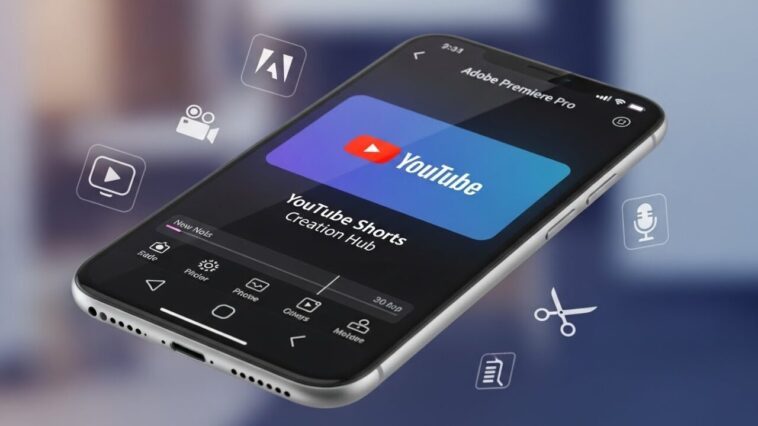
Adobe has rolled out a content creation hub inside Premiere mobile aimed at YouTube Shorts creators, bundling templates, captions, and export presets sized for vertical video. The goal is to keep the whole short form workflow on the phone. For creators, it removes the desktop step that used to sit between filming and publishing.
Adobe is teaming up with YouTube to launch a dedicated content creation space inside Premiere for iOS aimed specifically at YouTube Shorts creators. Announced Monday, the new hub gives creators access to exclusive templates, transitions, and effects—plus the ability to publish Shorts directly to their channels from their phones.

A Space Built for Viral, Trend-Driven Shorts
According to Adobe, the new space is designed to give creators everything they need to produce viral content, grow an audience, and jump on trending formats. Whether someone is making day-in-the-life vlogs, travel videos, or behind-the-scenes clips, Adobe says this hub is optimized for fast, engaging, mobile-first editing.
YouTube’s partnership with Adobe also strengthens creator loyalty by giving them a built-in Shorts creation space on iOS, encouraging them to use Premiere instead of rival tools like Meta’s Edits or ByteDance’s CapCut.
How YouTube’s Integration Works
Meagan Keane, Director of Product Marketing for Digital Video and Audio at Adobe, said.
“What’s unique about this partnership is that creators getting inspiration from their YouTube Shorts feed can launch a template that caught their eye directly into Premiere mobile and start customizing it for their own channel.”
Keane noted that while content edited in Premiere mobile can be shared anywhere, this feature is designed and optimized specifically for Shorts.

Read More: YouTube Introduces 6 Creative Tools for Shorts
Access to Exclusive Templates and Customization Tools
Inside the Create for YouTube Shorts space, users will find templates from top creators featuring built-in text styles, effects, and transition presets. Creators can drop in their own media, personalize the look, or even design and submit their own original templates.
To access the hub, creators need a free Premiere mobile login and a YouTube profile to publish directly to Shorts. After downloading Adobe Premiere from the App Store, they can tap the “Create for YouTube” option to enter the space.
Full Mobile Editing Workflow
Creators can upload clips from their iPhone camera roll, cloud storage, or Adobe Creative Cloud. Once inside, they can:
Cut and trim clips
Layer video and audio tracks
Adjust color and brightness
Add text overlays and captions
After editing, they follow the export prompts and upload the finished short straight to YouTube.
Read More: YouTube Introduces Timer to Help You Limit Shorts Scrolling
Advanced Creative Tools Powered by Adobe
Keane adds that the latest tools—including templates, transitions, effects, and the new Shorts space—will benefit both seasoned creators and newcomers. Premiere Mobile now offers:
Studio-quality audio
AI-generated sound effects
Precision multi-track editing
Firefly AI content generation
She says these upgrades make producing and sharing content “easier and faster,” supporting Adobe’s goal of empowering creativity for all.
FAQ
Who is this actually for?
Creators publishing several short videos a week who need speed more than fine control. Anyone doing complex multi track editing will still work on desktop.
Do captions matter that much?
Yes. A large share of short video is watched without sound, so captions directly affect retention, which is the metric behind what Meta says makes Reels hooks work.
Is mobile editing good enough for client work?
For social deliverables, increasingly yes. Set expectations in the brief about format and revisions rather than about which tool you used.
Last updated: August 2026.