

 Hajra Naz
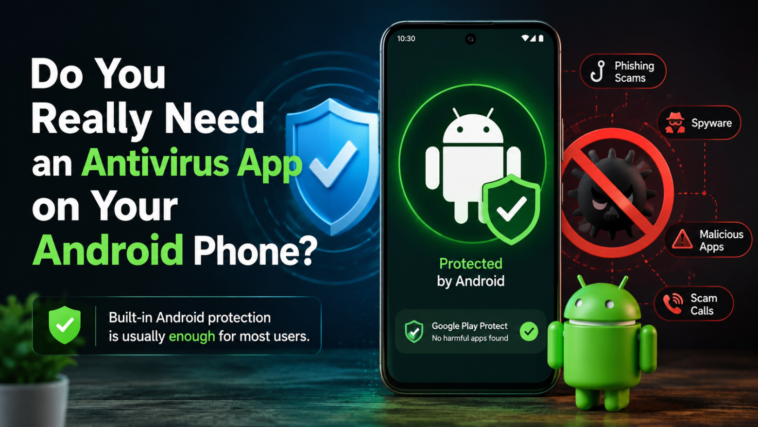
The answer is probably no. For people who use Android phones, they do not need to get a separate antivirus app.
The way you use your Android phone can make this answer different.

A long time ago, people who used computers needed to get antivirus software from other companies. People knew about Norton, McAfee, and Avast because they made this software. Android phones are different.
Most people do not think they need to get an antivirus app for their Android phones because new Android phones already have many ways to keep them safe from harm. Android phones have built-in security protections that help keep them safe.
Your phone can still get infected. Android phones can get malware and other bad things like scams and spyware. The good thing is that your phone now does a lot of things to protect itself without you even knowing it. This is probably enough for people.
If you like to look at weird websites or put apps on your phone that are not from the Play Store, or if you have an old phone, you might want to get some extra protection for your Android phone.
Modern Android already protects your phone
Android is not safe from malware. Like any software platform, it can be attacked by bad programs, security problems, and other types of threats. People who use phones also deal with dangers that are very common on smartphones. These include notifications attempting to trick users into giving away information, spyware, and fake calls.
Luckily, Android has security tools that help with these issues. These tools do not need users to download another app.
One of the important things is Google Play Protect. This is the built-in protection for Android. It checks apps from Google Play and apps that come from other places. Google says that in 2025, Play Protect found 27 million new bad apps from outside Google Play. It told users about them. Stopped them from working.
Read More – Big Tech AI Purchase Commitments Approach $1.5 Trillion as Infrastructure Obligations Surge
Android also uses app sandboxing to keep applications separated from one another. Each app works inside its environment, making it much harder for one app to freely get access to another app’s data.
Permissions add another level of protection. Apps usually need permission before they can access things like your contacts, files, camera, microphone, or location. Google Play Protect can also let users know about apps asking for access and change permissions, for apps that have not been used for a long time.
Security updates are another part of the system. New Android phones get fixes that solve problems, even though how often and how long the support lasts depends on the phone and the company that made it.
Google is also adding more AI-powered security features. In 2026, Android expanded live threat detection, which uses on-device AI to identify suspicious app behavior. Google says the system can warn users about potentially harmful actions such as SMS forwarding and certain accessibility abuses. Android is also adding stronger protection against impersonation and scam calls, including safeguards designed to identify suspicious or spoofed calls.
Google is making some changes to keep people safe when they get apps from outside the Google Play Store.
- Google wants to make sure people are safe when they get apps from places.
- So Google is going to start checking the people who make these apps.
- This will start happening a little at a time. It will begin in 2026.
When this happens, Android will ask some questions when someone tries to install an app from a person who has not been checked by Google.
The goal of Google is to make it safer for people to get apps from places without stopping people who know what they are doing from getting these apps.
Google still wants to let experienced users install apps from sources like other app stores.
Read More – Databricks Closes $5 Billion Round at a $190 Billion Valuation
The biggest mobile threats are often things antivirus apps can’t stop
We haven’t entered a completely virus-free era. Instead, the threat landscape has changed.
Some of the most serious dangers facing Android users don’t involve secretly installing a virus at all. Instead, scammers try to convince you to hand over your information yourself.
Social engineering is a problem. You can get text messages, fake phone calls, and fake links that try to trick you into giving away your passwords, financial information, or other personal stuff.
You might get a message saying there is a problem with your bank account. Someone might pretend to be a friend or family member who needs money really badly. Tech support and romance scams work the same way. They try to trick you into doing something that’s not good for you.
If you go to a website that looks real, an antivirus app cannot stop you from typing in your information.
When you use the internet, you can get into trouble. If you use Wi-Fi at airports, hotels, or cafes, you might be in danger if the connection is not safe. If someone bad is on the network, they might be able to see what you are doing online or send you to fake websites.
Read More – Anthropic CEO Says AI Backlash Is Fundamentally a Crisis of Trust
A VPN can help keep you safe by making your connection secret. It is not the only thing you need to do to be safe.
You also have to worry about messages that pop up on your phone. If you accidentally say yes to a website, you might start getting fake warnings that look like they are from Android. Some of these messages might even say that your device has a virus.
The funny thing is the fake warning can be the problem. Social engineering is an issue, and fake warnings are a part of social engineering. Social engineering can trick you into doing something that puts your details at risk.
When does a third-party Android antivirus make sense?
Security risk isn’t the same for everyone. The level of protection you need depends heavily on what you do with your phone.
Public Wi-Fi is one example. If you regularly connect to open networks in airports, hotels, or other public places, you will feel better with security tools. Public Wi-Fi can be a problem. A VPN is a way to protect your connection when you use Public Wi-Fi. You can also use an antivirus app to check files or downloads after you use Public Wi-Fi.
Sideloading is another situation where you need protection.
- You can sideload apps from outside the Google Play Store.
- Google Play Protect can scan these apps. It may not work if you turned it off or you are using a device without Google Play services.
Android has a system to verify developers. This system makes sideloading safer.. People who know a lot about Android can still install apps from developers who are not verified. They can do this by using the advanced process for sideloading. Sideloading can be a problem. You should be careful when you sideload apps.
Read More – Big Tech AI Purchase Commitments Approach $1.5 Trillion as Infrastructure Obligations Surge
An antivirus app might also be useful if you’re seeing strange things happening on your phone. Things like pop-ups, slow performance, strange permission requests, battery draining quickly for no reason, or apps you don’t recognize can all be signs that something is wrong.
None of these signs always mean your phone has a virus. They can also happen because of software issues. Still, strange behavior should not be left alone.
Older Android phones are another thing to think about. Phones that no longer get operating system or security updates are more likely to be at risk. A third-party antivirus app cannot fix the lack of security updates. It can add another level of protection when older software is being attacked.
Is an Android antivirus really necessary?
Most people do not need this.
Android has security built in. Google Play Protect checks apps to see if they are bad. Android also has something called sandboxing that limits what apps can do with each other. The permissions system helps users control what apps can access.
Security updates are also important when they are available.
This does not mean that antivirus apps are not useful. Android users who do things can still use them. For example, people who get apps from outside the Google Play Store, or who visit websites, or who have old Android phones, or who have turned off the built-in security.
In these cases, an antivirus app from a company can help keep the Android user safe. Some antivirus apps also have features, like a VPN blocking bad ads, protecting the user on the web, and filtering SMS messages.
Read More – Yuno Raises $45 Million Series B to Scale Its Global Payments Operating System
The key is not to think that antivirus software can replace security habits. Your own decisions are still very important when it comes to keeping your phone safe. Do not rush to open links that you were not expecting. You have to be careful with calls and messages from people you do not know. Do not install apps just because someone tells you to, especially if they call you or say it is an emergency. Keep your Android and Google Play Protect up to date. Think carefully before you let an app you do not know have access to sensitive information.
For people who use Android, it is okay to not use a third-party antivirus app. The protections that are already built in are doing a lot of work to keep your phone safe.
The real answer to whether or not you need antivirus software depends on how you use your Android phone. The security tools that come with Android are getting better all the time, which means you have protection without needing to install another app.