

 Hajra Naz
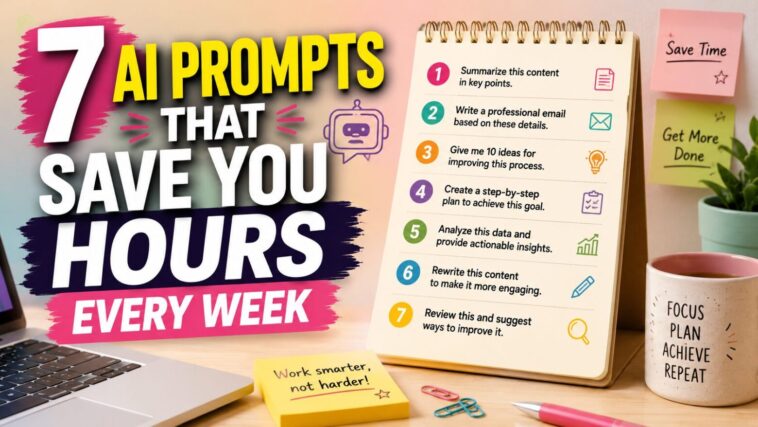
The best ChatGPT prompts for productivity aren’t shorter — they’re more specific. Naming the tone, length, audience, and purpose you want turns a generic one-line request into a genuinely useful answer, and doing that consistently across a handful of prompts can save hours of rework every week.
I used to type “write me an email” into ChatGPT and then wonder why it came out sounding like a corporate HR handbook. Turns out that one’s on me, not the AI.

Most people prompt like that. Vague, one line, hit enter, hope for the best. Then the output is generic, and they decide AI “isn’t that useful.” Meanwhile, the people actually getting real value out of these tools are doing one thing differently—they’re putting detail into the ask. Tone, length, audience, purpose. All of it.
That’s genuinely the whole trick. Not a secret model, not a paid plugin. Just a better instruction. Here are seven prompts worth using this week — not bookmarking and forgetting, which, let’s be honest, is what usually happens with posts like this.
Why Prompts Matter More Than People Think
Most people ask, “Write an email.” Professionals ask something closer to, “Write a friendly follow-up email for a client who hasn’t replied in 5 days. Keep it under 120 words and include a clear CTA.”
Same tool, wildly different result. I didn’t believe this mattered as much as people said until I actually compared outputs side by side—and yeah, it’s not subtle. Better prompts mean better answers. Annoyingly simple, but true.
Read More: 5 ChatGPT Prompts To Build A Million-Dollar Business With Zero Employees
Prompt 1: Write Better Emails
Skip “write an email.” Use this instead:
“You are a professional business communication expert. Write a clear, friendly, and professional email about [topic]. Keep it under 150 words, use a confident tone, and end with a clear call-to-action.”
Saves: somewhere around 20–30 minutes, more if you’re knocking out several client follow-ups back to back. Freelancers and small agencies probably get the most mileage here — anyone who’s stuck rewriting the same five email types on a loop.
Prompt 2: Social Media Content
“Act as a social media strategist. Create 10 engaging social media captions about [topic]. Use a conversational tone, include a hook, CTA, and relevant hashtags.”
Saves: an hour or two, though I’ll be honest—not all ten captions land. Usually two or three are genuinely good; the rest need a rewrite or get binned. Still beats staring at an empty caption box, especially if you’re juggling more than one account.
Prompt 3: Winning Client Proposal
If you’ve ever copy-pasted the same Upwork proposal fifty times, you already know why this one matters. Clients notice. It’s obvious when you didn’t read the brief.
“Act as an experienced freelancer. Write a personalized proposal for this job: [paste job description]. Mention the client’s pain points, explain how I can solve them, and end with a strong CTA.”
Saves: around 30 minutes per proposal — arguably the biggest time-saver on this whole list if you’re pitching regularly on Upwork, Fiverr, or similar.
Prompt 4: Research in Minutes
We’ve all lost two hours to “let me just quickly look this up.” This helps:
“Research [topic] and summarize it into bullet points. Include key insights, latest trends, opportunities, risks, and actionable recommendations. Explain everything in simple language.”
Saves: hours of Google tab hoarding. It’s not a replacement for real research when accuracy actually matters—double-check anything before you publish it—but it’s a solid way to get oriented on an unfamiliar topic fast. Students and bloggers, this one’s for you.
Read More: Struggling to Close Big Deals? Try These 5 ChatGPT Prompts
Prompt 5: Video Script Generator
“Write a 60-second YouTube Shorts/Reel script about [topic]. Start with a strong hook, explain the idea simply, and finish with an engaging CTA.”
Saves: 45–60 minutes. The hooks it comes up with are hit or miss—sometimes genuinely sharp, sometimes painfully cheesy—but it gets you past the blank-page problem, which honestly is the hardest part.
Prompt 6: Excel & Data Analysis
“Analyze the following data. Identify trends, summarize key insights, highlight anomalies, and recommend actions. Present the results in a simple table and bullet points.”
Saves: hours of manual number-crunching. Paste in your data and get a plain-English summary back. Not something I’d trust for anything high-stakes without a real analyst checking it, but as a first pass? Genuinely useful for managers and freelancers drowning in spreadsheets.
Prompt 7: Brainstorm Like a Team
“Act as a creative strategist. Generate 25 unique ideas for [business/topic]. Prioritize practical, low-cost ideas with high impact. Organize them into categories.”
Saves: those brainstorming sessions that go nowhere for an hour. Fair warning — half the ideas will be mediocre or flat-out unusable. That’s fine. You’re not looking for 25 winners; you’re mining for two or three.
Bonus: One Prompt That Works for Almost Everything
If you save exactly one prompt from this whole thing, make it this one:
“Act as an expert [profession] with 15 years of experience. Your task is to help me [goal]. Ask me any questions you need before answering. Give practical, step-by-step advice with examples, common mistakes to avoid, and a final checklist.”
Why it actually works: it gives the AI a role to play, sets an experience level, states your goal plainly, and—this is the bit almost everyone skips—tells it to ask you questions first instead of guessing. That back-and-forth is usually where the useful stuff shows up. Skip that step, and you just get a confident, generic answer.
Read More: The 5 best ChatGPT prompts to help you become a better leader
Which One Should You Actually Try First?
You don’t need all ten. Pick two or three based on whatever’s actually eating your week right now. Freelancer? Start with the proposal and email prompts. Making content? Grab the script and caption ones and ignore the rest for now.
Either way, the real takeaway hasn’t changed: the gap between people who get real value from AI and people who write it off usually comes down to effort on the input side. Vague prompt in, vague answer out. Kind of annoying how consistent that rule still is, no matter how good these models supposedly get.
Frequently Asked Questions
What makes a good ChatGPT prompt for productivity?
Specificity. Naming the tone, length, audience, and purpose you want — instead of a vague one-line request — is what separates a generic AI answer from one that actually saves you time.
Can AI prompts really save hours every week?
Yes, for repetitive writing and thinking tasks — emails, summaries, first drafts, and follow-ups — a handful of well-built prompts used consistently adds up to real time saved, not just a novelty.
Do I need ChatGPT Plus for these prompts to work?
No — the free tier handles most day-to-day productivity prompts fine. What matters far more than the plan you’re on is how specific and detailed the prompt itself is.
Related reading
- The 7 Rangi Formula: Win More Freelance Proposals
- 10 Overrated Productivity Habits Influencers Keep Selling
- 15 Best Free Websites for Freelancers in 2026
Last updated: August 2026.